 write.cv
Fill job applications from your CV with write.cv Autofill
Every application asks for the same things you already wrote in your CV: your name, email, phone, LinkedIn link, current title, years of experience, and a few questions in your own words. Typing it all again for each job takes time and invites mistakes. Autofill is a Chrome extension that fills those forms from your write.cv CV, so you spend your time checking the answers instead of retyping them.
Install it and connect your CV
Open My space → Autofill at https://write.cv/en/me/extension and press "Add to Chrome". After it's installed, connect it on the same page in one of two ways.
With a write.cv account: press "Connect to my account". The extension reads your CV from your account and saves jobs to your Applications on every device. You can disconnect it at any time, and revoke its key in Account → Connect AI agent.
Without an account: press "Use this browser's CV". The extension keeps a copy of the CV saved in this browser on write.cv, and refreshes it every time you open write.cv.
How filling works
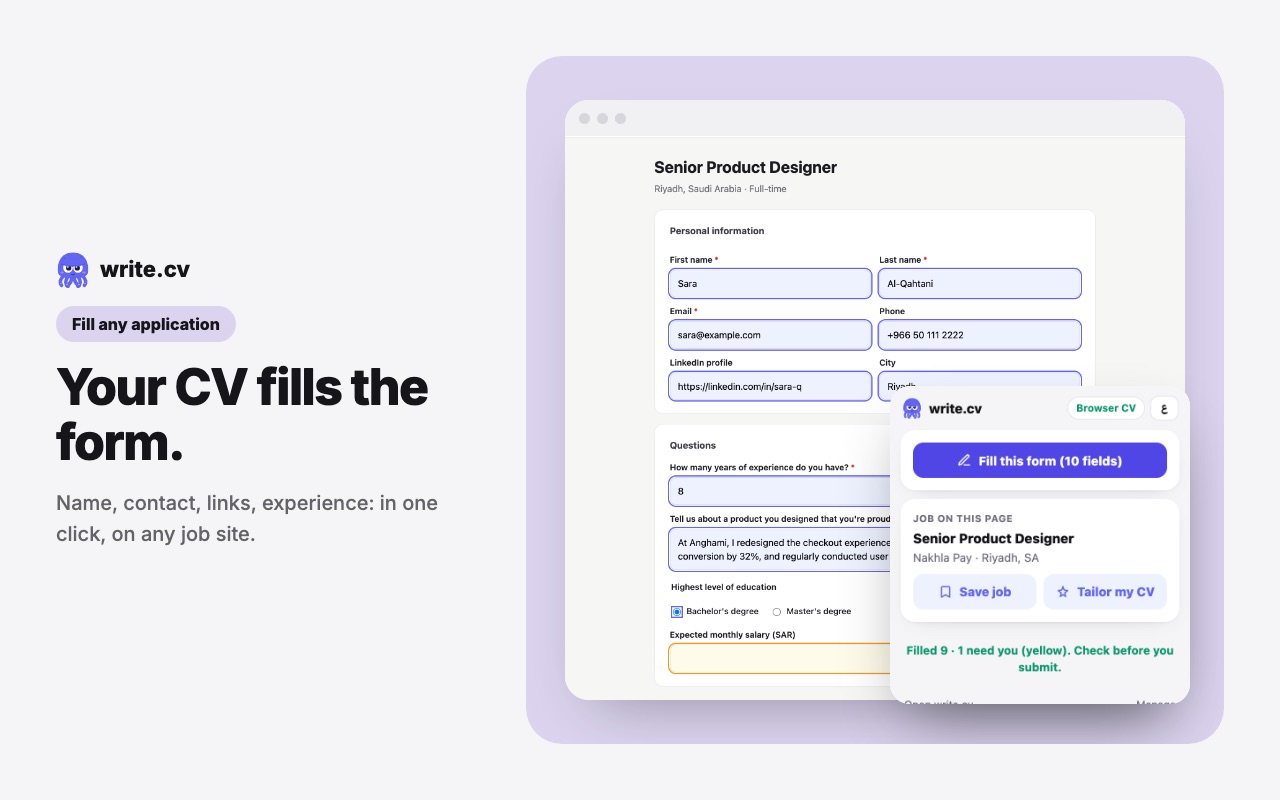
Open an application form and press "Fill this form" in the extension. First, the simple fields go in instantly: your name, email, phone, links, city, current title and company, matched by their labels in English or Arabic.
Then everything that's left (questions like "How many years of experience do you have?", short written answers, dropdowns and radio buttons) goes to the AI in a single request, together with your CV and the job text on the page. The answers come only from facts in your CV: years of experience are worked out from your job dates, and a written answer points to a real role or project. If your CV doesn't support an answer, the field stays empty for you.
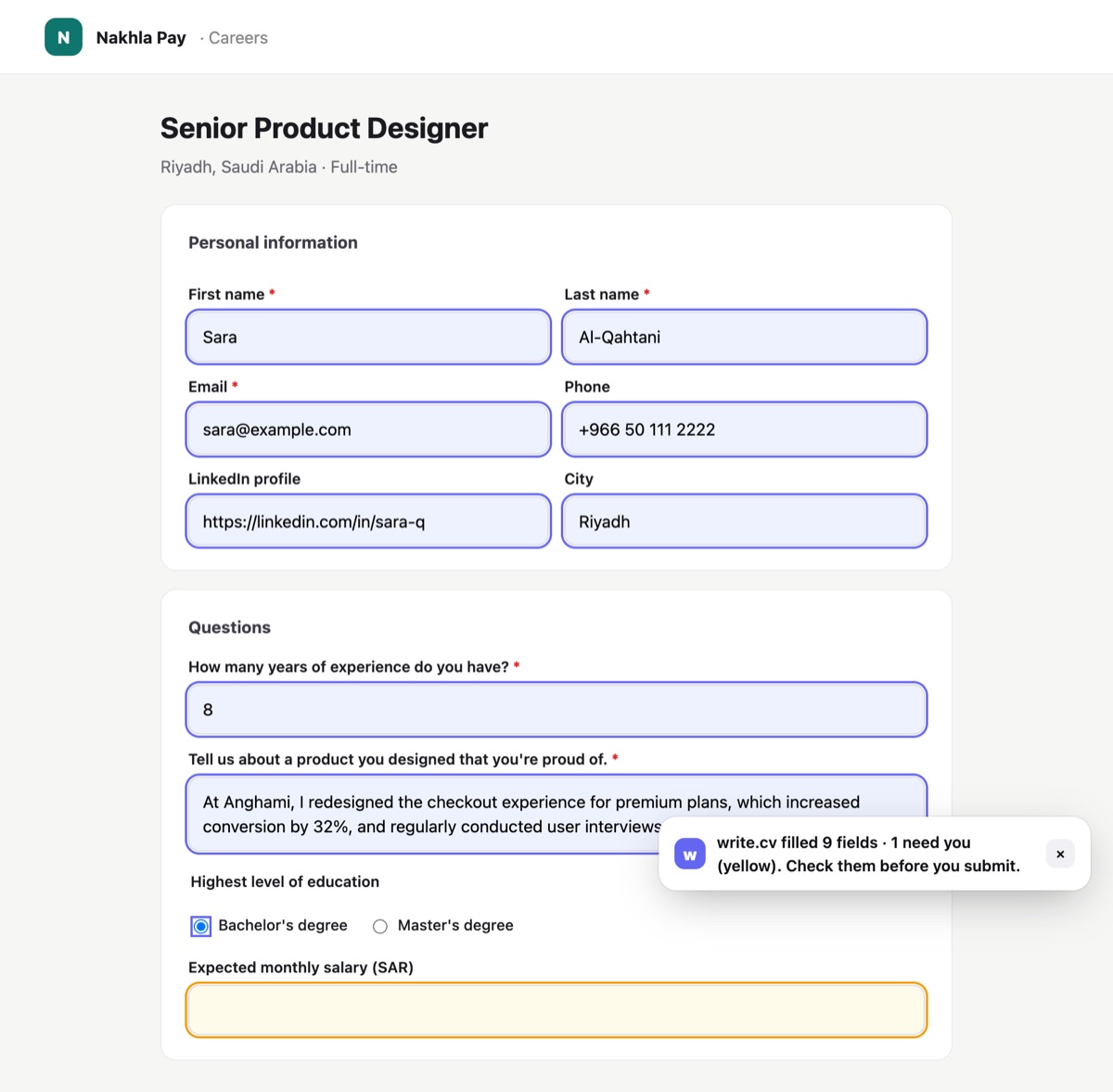
Filled fields get an indigo outline so you can see what changed. Fields that already had something in them are left alone.
What stays yours
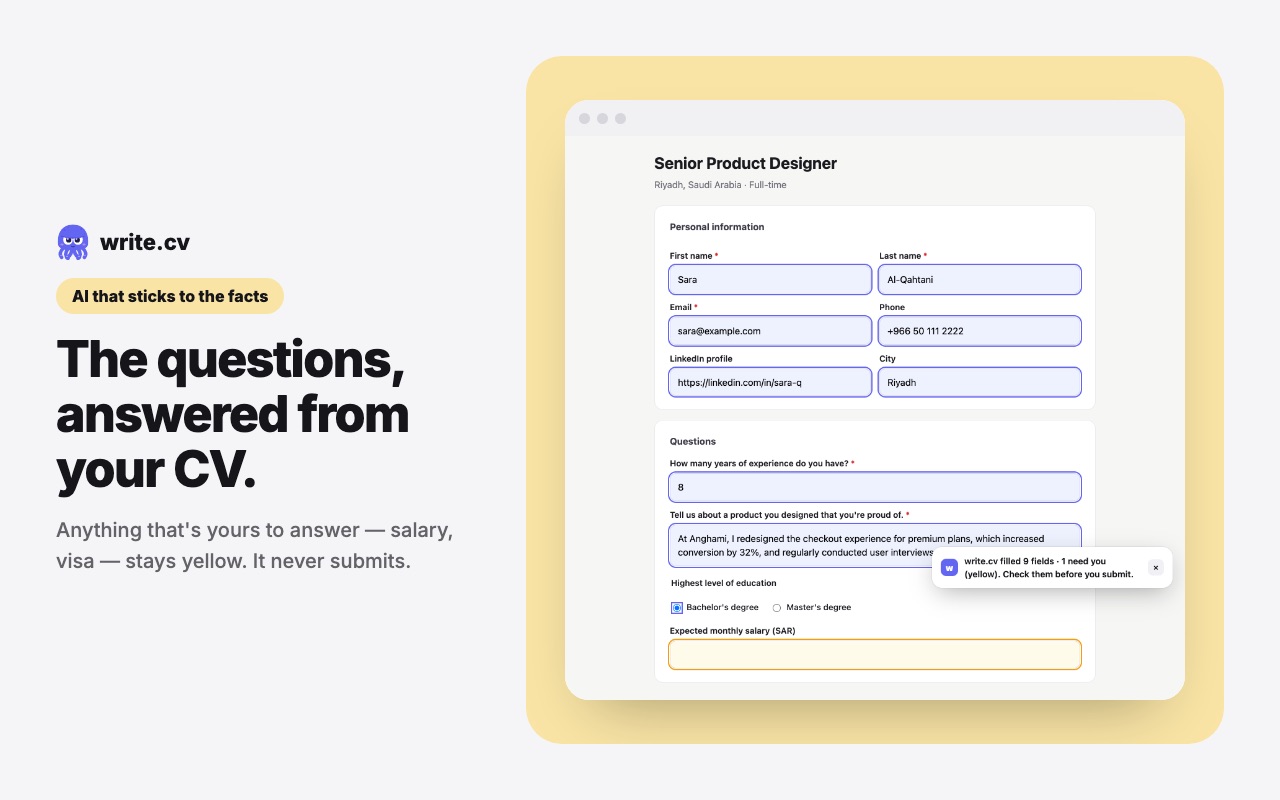
Some questions are never answered for you, whatever your CV says: salary expectations, visa or sponsorship, nationality, gender, disability, age, notice period, and any agreement or consent checkbox. These fields are highlighted yellow, and the note at the bottom tells you how many need you.
Autofill also never submits the form. You read everything, answer the yellow fields, attach your CV if the form asks for a file, and press submit yourself.
Save the job, or tailor your CV to it
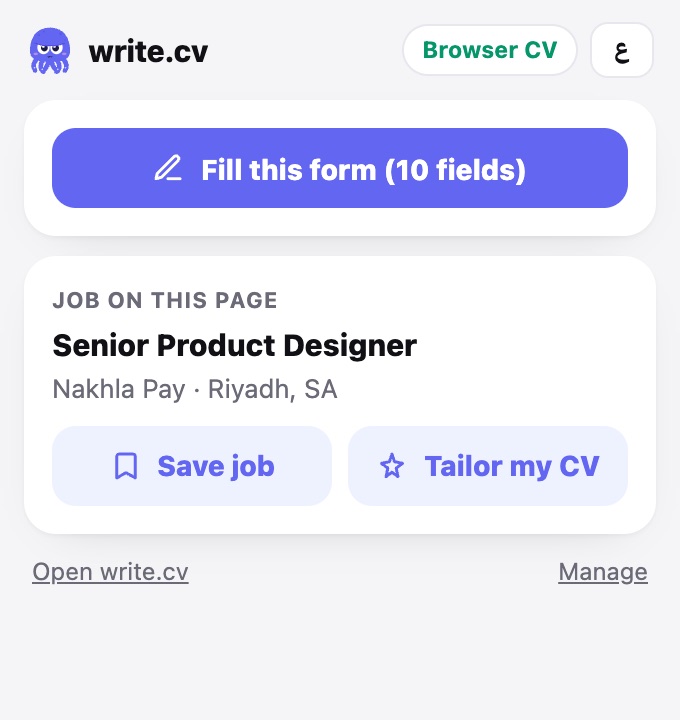
On a job posting, the extension shows the role, company and location it found on the page. "Save job" adds it to your Applications at https://write.cv/en/me/applications, with the link, so you can track it from saved to applied to interview.
"Tailor my CV" opens the write.cv editor at https://write.cv/en/app with the AI assistant already holding the job description, so you can match your summary and skills to the posting before you apply.
Privacy
The extension only runs on a page when you open it there. It doesn't read or record the sites you visit. Data goes to write.cv only when you press a button: "Fill this form" sends the form's questions (not what you typed), a short piece of the job text and your CV to produce the answers; "Save job" sends the job's title, company, location and link. The full details are in the privacy policy at https://write.cv/en/privacy.
Questions
Does Autofill submit applications for me?
No. It fills the fields and stops. You check everything, answer the yellow fields yourself and press submit.
Do I need a write.cv account?
No. Without an account it uses the CV saved in your browser on write.cv. With an account it reads your CV from your account and saves jobs to Applications on all your devices.
Will it make up answers?
No. Answers come only from facts in your CV. When the CV doesn't support an answer, the field stays empty and is marked for you.
Which sites does it work on?
It works on job sites and company career pages that use standard web forms. Some sites build their own custom dropdowns or embed the form from another site; those parts may need you to fill them by hand.